So I got this email today.
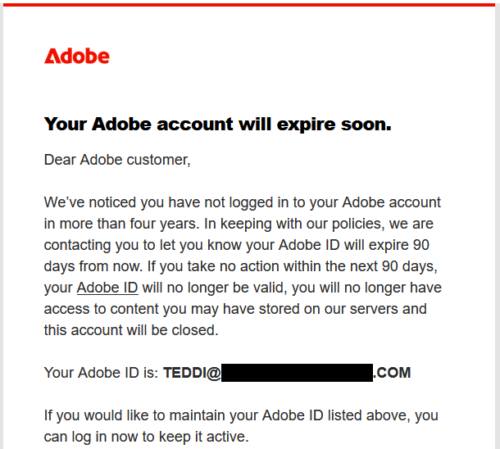
(No, it wasn’t for the teddideppner.com domain. I manage a lot of websites.)
Of course, there was a button to click in the email. Okay, class, pop quiz:
“Do we click the link in the email to login to our account?”
/ waving from the back of the class /
Yes, Jimmy?
“No! Stranger danger! NEVER CLICK THE LINK IN THE EMAIL TO LOGIN!”
Thank you, Jimmy. That is correct!
What’s the right way to login when an email says there’s a problem with your account?
“Type in the URL yourself and then login using your password manager!”
Well done, Jimmy. See me after class for your reward.
So I log into the relevant Adobe account (the right way!), and guess what? I must have signed up for this and never used it. It’s hard to tell, because the billing history only goes back three years. But the last time the password was changed was THIRTEEN YEARS AGO.
/ abashed web guru grimace /
Do what I say, not what I did. Don’t create accounts and abandon them. Although honestly, as long as you aren’t reusing the same password everywhere (you’re not, right?!), it probably doesn’t matter much.
Should I Keep This Free Adobe Account?
It turns out the email was legit. I really did have an old Adobe account that I hadn’t used for a long time. Meanwhile, Adobe has populated my account with all these lovely little freebies, because it’s on the Free Plan. After all, why pass up a chance to upsell an inactive free account and turn them into a paying customer?
After logging in, I click on the my profile icon (upper right circle) and go to “Manage account”.
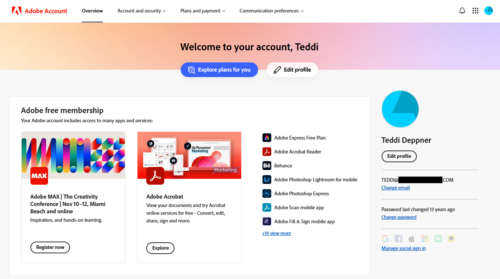
Look at that! I have a link to a conference and Adobe Acrobat, plus 19+ more apps! I definitely shouldn’t delete this account… right? Look at all that free stuff! Right?
Not so much. Listen, if you haven’t used this account in over four years (in my case), none of this free stuff matters. If it did, you would have logged into the Adobe account and used it.
Don’t Be Fooled
To be clear: I like most of Adobe’s products.
I don’t like the business model of subscription-based cloud products at all, but Adobe has a long history and a huge following (or in this case, captive audience) so they do whatever they want. Several of their products are top-of-line and not easy to replicate with cheaper alternatives.
But if you aren’t already paying for it, if you don’t need it, then don’t fall for this bait.
As soon as I updated my password, the welcome screen changed.
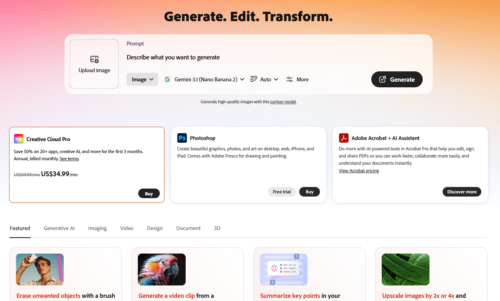
Now it’s all about the upsell. Entice you to use a product, engage in a free trial period.
Remember, You’re Just a Target for Their Bottom Line
If you didn’t need it yesterday, you don’t need it today. So if you decide to delete your account, let me make it easy for you (because they don’t).
Go to Account and Security and select Data and Privacy Settings. (Of course. Where else did you think to find “Delete my account”?)
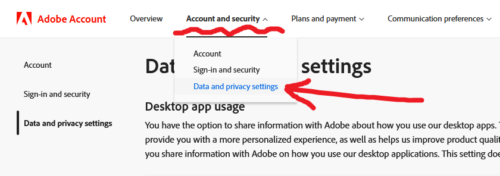
Scroll to the bottom of the page. Click the Continue button.

It will ask you to verify your identity with your password one more time. It will probably ask you, “Why are you leaving me? We’ve had such a great relationship!”
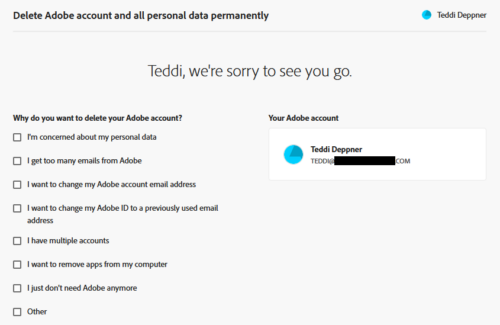
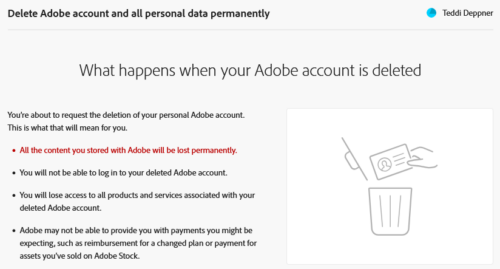
They helpfully outline the consequences of this action.
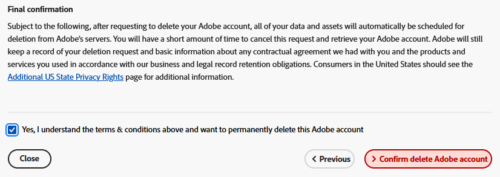
And at the bottom of the page, if you’re ready… Take a deep breath, then check the box and click the button: CONFIRM DELETE ADOBE ACCOUNT.
You can do it.
Say it with me: “I haven’t logged in to Adobe in years. I don’t need this account!”
Say Goodbye, but if You Have Regrets…
If you wake up the next day and suddenly realize that you DO need this account, there’s still hope.

Just log back in and follow their instructions.
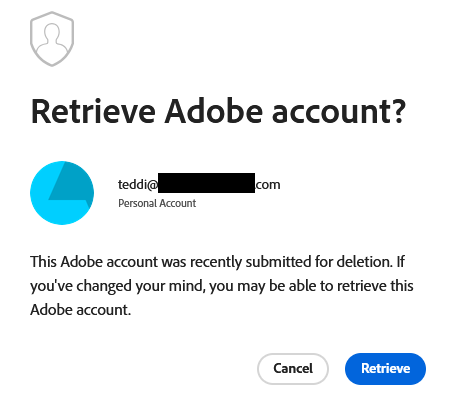
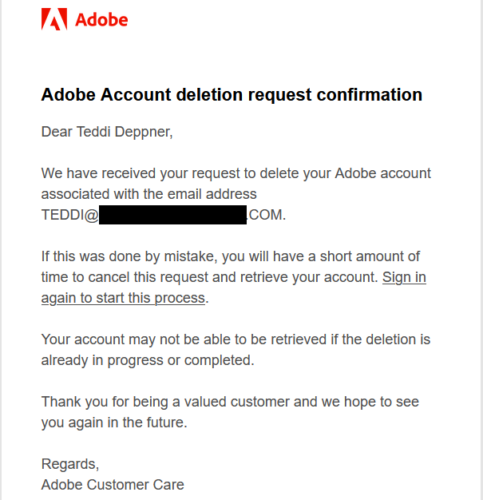
You’ll get an email confirmation, something like:
But seriously. You’re fine.
Remember?
You haven’t used it in years.
You don’t need it.
Someday, if you need it, I can practically guarantee you that they will welcome you back with open arms and payment-due-now invoices!




0 Comments